
Hospital Finder – Find Nearby Hospitals & Emergency Clinics
Locate the nearest hospitals, emergency rooms, and 24-hour clinics near you — with verified listings, live open/closed status, and instant directions.
Hospitals near you
Use Your Current Location
Allow your location to instantly find the nearest hospitals and calculate the exact distance from you.
Hospital Finder: Find the Nearest Hospitals, Emergency Clinics & 24-Hour Medical Centers
Health emergencies rarely wait for a good time. It might be the middle of the night when a child spikes a sudden fever, or you’re in an unfamiliar part of town when a minor accident happens. In moments like this, most people just want one thing: a fast, reliable answer to “where’s the closest hospital, and is it actually open?”
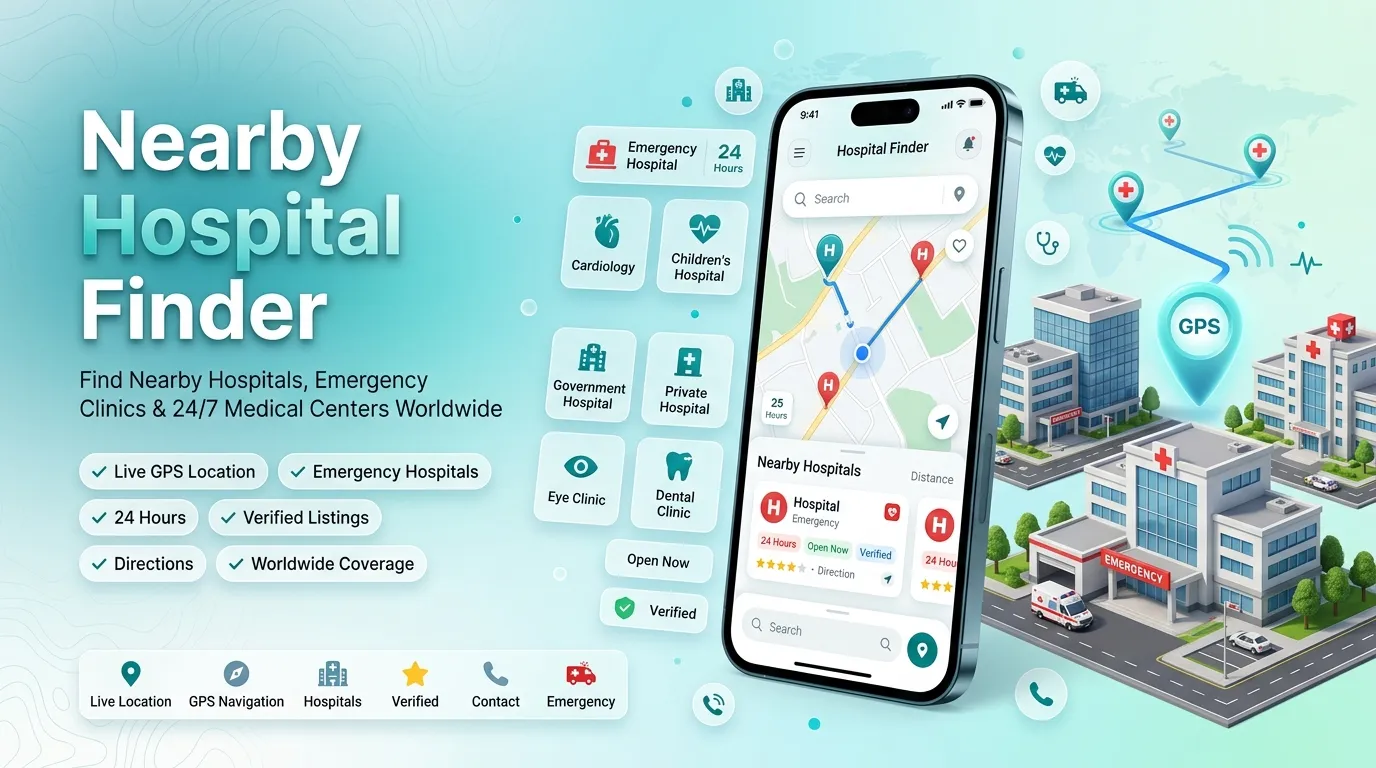
As cities keep growing, keeping track of every clinic and hospital in your area — let alone which ones are open right now — has become genuinely difficult. That’s the gap the Hospital Finder tool above is built to close: a simple, map-based way to see every hospital and clinic around you, sorted by distance, with live status and contact details in one place.
This guide covers what the tool does, how it pulls its data, what each feature is for, and how to get the most out of it — whether you’re looking for emergency care, a 24-hour clinic, or a specific specialty like cardiology or pediatrics.
What the Tool Actually Does
The Hospital Finder shows every hospital and clinic near your current location, or any city you search, within seconds. Instead of sifting through cluttered search results, you get one clean view: names, addresses, distances, phone numbers, websites, and opening hours.
It’s a fully interactive map-based system that:
- Detects your live location automatically
- Shows every facility within a 20 km radius
- Displays distance, rating, category, and contact details on each listing
- Lets you filter by emergency care, 24-hour availability, pediatric care, eye care, heart care, and ownership type
- Plots live map pins you can tap for instant directions
Why It Matters in an Emergency
In a genuine emergency — a car accident, a suspected heart attack, a child running a dangerously high fever — every minute matters. Not knowing where the nearest open facility is adds exactly the kind of delay that can make a real difference to someone’s health.
This tool exists to close that gap, whether you’re new to a city, traveling, or simply somewhere unfamiliar in your own town. A few situations where it becomes genuinely useful:
- Traveling somewhere you don’t know the local hospitals
- Late at night, when only a true 24-hour facility is open
- A sick child, when you need pediatric or maternity care quickly
- Caring for elderly parents who need regular cardiology checkups
- Right after an accident, when finding the nearest emergency-capable facility is the only priority
How the Data Works
The tool blends two data sources to stay both accurate and comprehensive.
A Verified Local Database
Listings pulled from a manually checked database — address, phone number, hours, and website confirmed by hand. These carry a Verified badge.
Live OpenStreetMap Data
Running alongside that, the tool pulls live data from OpenStreetMap to fill in facilities that haven’t been manually verified yet — especially useful in smaller towns or newer areas.
Merging, Sorting & Live Status
Duplicate entries between the two sources are automatically removed, keeping only the verified version. Every result is then sorted by real distance from your location, and shown with a live open/closed status — including an “Open 24/7” badge for round-the-clock facilities.
Key Filters
- Emergency — facilities equipped for urgent, critical cases
- 24 Hours — round-the-clock options
- Children — pediatric and maternity care
- Private / Government — filter by ownership and typical cost level
- Eye Care — dedicated ophthalmology clinics
- Heart Care — cardiology specialists and cardiac units
Emergency Room, Urgent Care, or a 24-Hour Clinic — Which One Do You Need?
Not every situation calls for the same kind of facility, and picking the wrong one can mean longer waits or higher costs for no real benefit.
An emergency room is the right call for severe injuries, chest pain or suspected heart attacks, serious breathing difficulty, heavy bleeding, or poisoning — these facilities have trauma care, ICU access, and specialists on call around the clock. Use the Emergency filter to see only facilities equipped for this.
An urgent care clinic fits the middle ground: mild fevers, minor cuts, small fractures or sprains, and infections that need attention but aren’t life-threatening. Wait times and costs are usually lower than a full ER.
A 24-hour clinic matters most outside normal daytime hours, since far fewer facilities stay open at night. Anything open around the clock gets a clear badge on its listing, and facilities that close later than usual show their exact hours (like “Closes in 3 hrs”) so you can plan the trip with confidence.
Finding the Right Specialist
A general hospital isn’t always the right stop — sometimes going straight to a specialist saves real time.
- Cardiology / heart care — for chest pain, high blood pressure, or possible heart attack symptoms, filter by Heart Care to see cardiac units and specialists.
- Pediatric & maternity care — for children’s health issues or pregnancy-related needs, the Children filter surfaces facilities with dedicated pediatric or maternal care.
- Eye care — for eye problems or routine checkups, the Eye Care filter points you to ophthalmology specialists directly.
- Dental care — a separate category highlights clinics offering dental treatment specifically.
Government vs. Private Hospitals
The choice usually comes down to cost and wait time. Government hospitals typically cost less but can involve longer waits due to higher patient volume. Private hospitals generally cost more but offer shorter waits and newer facilities. The Government and Private filters let you narrow results based on what matters more to you.
Who Gets the Most Out of This Tool
- Families with young children, who need to know the nearest pediatric or maternity option before a situation turns urgent.
- Anyone caring for elderly parents, who often need regular access to cardiology or general checkups.
- Travelers and newcomers, who have no local knowledge of where hospitals actually are.
- Busy professionals, who don’t have time to call around checking hours.
- Students living away from home, who need a quick way to find care near campus.
How to Use It — Step by Step
- Allow location access when prompted, so the tool can detect your exact position.
- Prefer not to share it? Skip that step and type any city or area name into the search box instead.
- Nearby facilities appear as both map pins and cards, sorted from closest to farthest.
- Use the filters at the top to narrow results to exactly what you need.
- Tap “View on Map” on any card to see its exact location.
- Call directly, or use the website and social links for more information.
- Tap “Get Directions” once you’ve picked a hospital for an instant route.
What to Check Before Choosing a Hospital
- Distance isn’t everything — the closest option isn’t always the right one if it doesn’t offer the specialty care you need.
- Confirm it has an emergency room if the situation is serious, not just a general clinic.
- Double-check operating hours at night, unless the facility is marked 24/7.
- Match the specialty to the need — cardiac, pediatric, eye, or dental issues are best handled by the relevant specialist facility.
- Favor verified listings to reduce the risk of an outdated address or disconnected number.
Frequently Asked Questions
How does the Hospital Finder detect my location?
Once you allow location access, the tool uses your device’s GPS or network location to show facilities around your exact position.
What if I don’t want to share my location?
Skip that step and search for any city or area by name instead.
Does it work outside my own city or country?
Yes, it works for any city worldwide — just search the area name.
What does the Verified badge mean?
That listing’s address, phone number, and hours have been manually checked for accuracy.
Can I filter for only emergency or 24-hour facilities?
Yes — use the Emergency or 24 Hours filter at the top of the results.
Does it show whether a hospital is currently open?
Yes, where hours data is available, each listing shows a live open or closed status.
What if a hospital I know isn’t showing up?
It may not be in the database yet, or may fall outside your current 20 km radius — try searching for it by name.
Does it show clinics and specialty centers too?
Yes — including eye clinics, dental clinics, and cardiology centers, not just general hospitals.
Do I need a separate app for directions?
No — tapping “Get Directions” on any listing shows the route immediately.
Is there any cost to use this?
No, the Hospital Finder is completely free.
How often is the data updated?
Live data refreshes in near real time; verified listings are reviewed and updated manually on a regular basis.
Related Tools You Might Find Useful
Finding a hospital is often just one part of settling into or navigating a new area. These tools cover the rest:
Final Thoughts
Health emergencies rarely give advance notice, and having accurate, nearby information ready when it matters most makes a real difference. Whether you need an open hospital right now, a 24-hour clinic, pediatric care for your kids, or a cardiology specialist for a parent, the Hospital Finder brings distance, category, hours, and verified contact details together in one place — free, and ready whenever you need it.